
License activation Control Studio
Edited
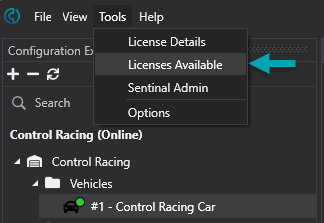
If you are moving an existing Control Studio license between machines or if you are installing Control Studio for a new machine, you can activate the license by going to Tools -> Licenses Available.
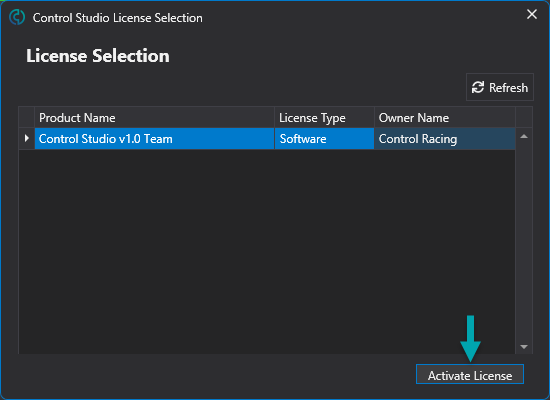
Select only one license for one machine and activate the license.
Was this article helpful?
Sorry about that! Care to tell us more?