
Page: Device Info - Configuring Modem Mode
Edited
Log in to your device user interface. See separate article in this Section about the Login.
The first page of your device user interface will be the Device Info page where you configure your modem as a transmit (so sending data e.g. travelling in the vehicle) or receiving (receiving data from a transmit device, e.g. being in the pits) under Modem Mode indicated by the arrow.
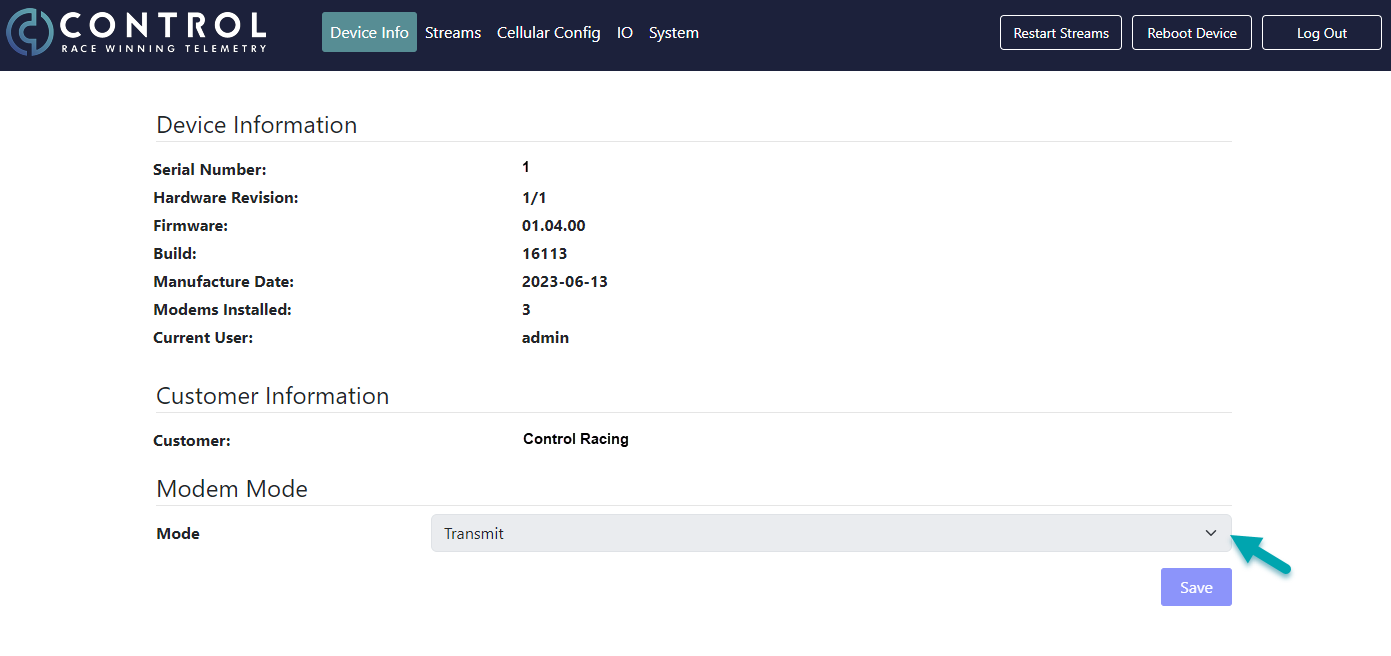
The device info page also displays information about serial number of your device, hardware revisions or importantly which firmware you are currently running on.