Page: Cellular - Selecting Cellular Networks and Activating Auto Network Select
Log in to your device user interface. See separate article in this Section about the Login.
Go to the tab Cellular Config and click on the modem you want to select a network for.
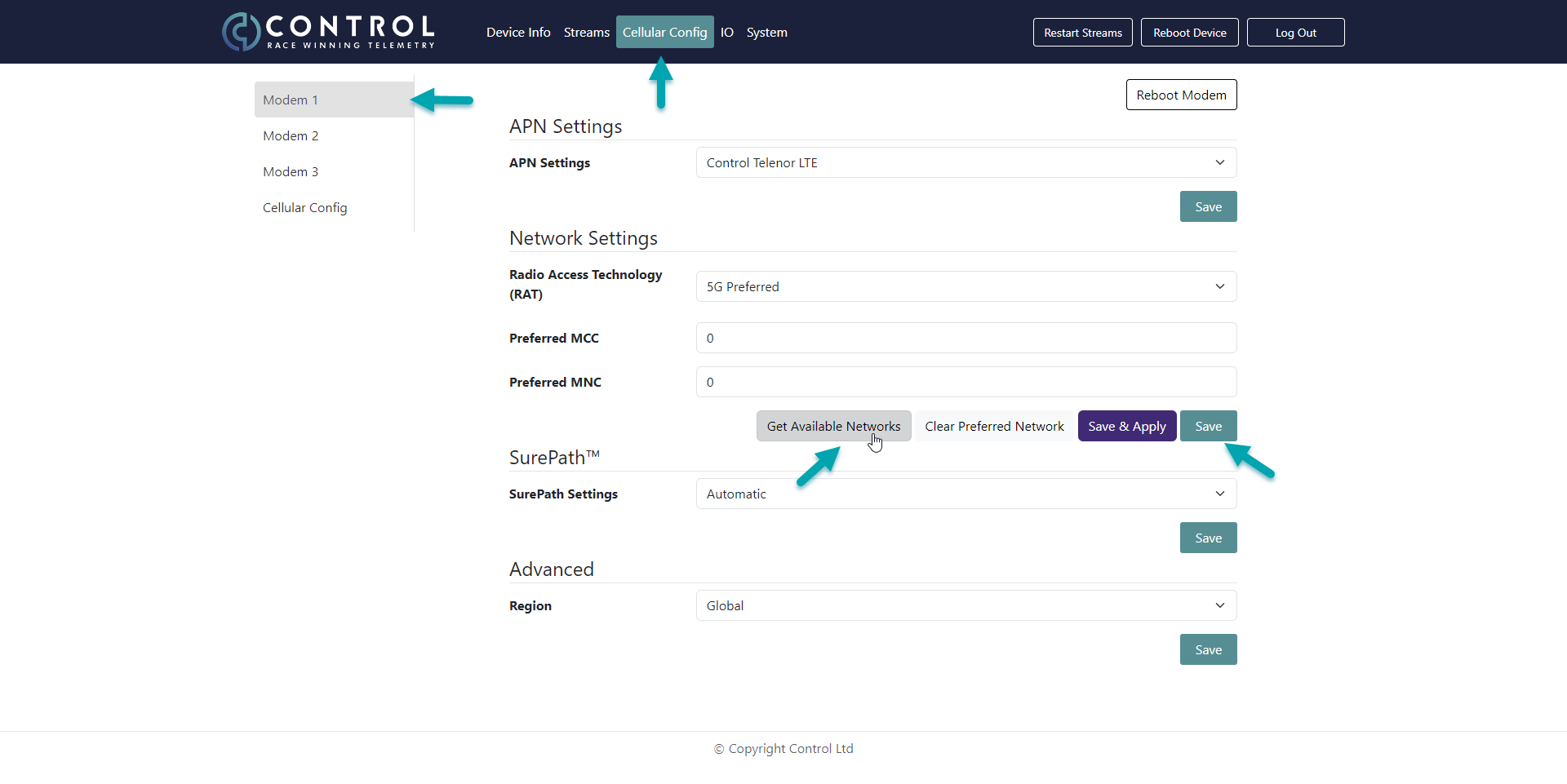
Click on the button Get Available Networks, select your preferred network in the list and click save once the network shows in the Preferred MCC and MNC windows. For changing the Modem to the network, it needs to be rebooted or by the Reboot Modem button or as well by the Reboot Device button. Rebooting the device will however stop the telemetry from all Modems for about 1 minute and data loss will occur.
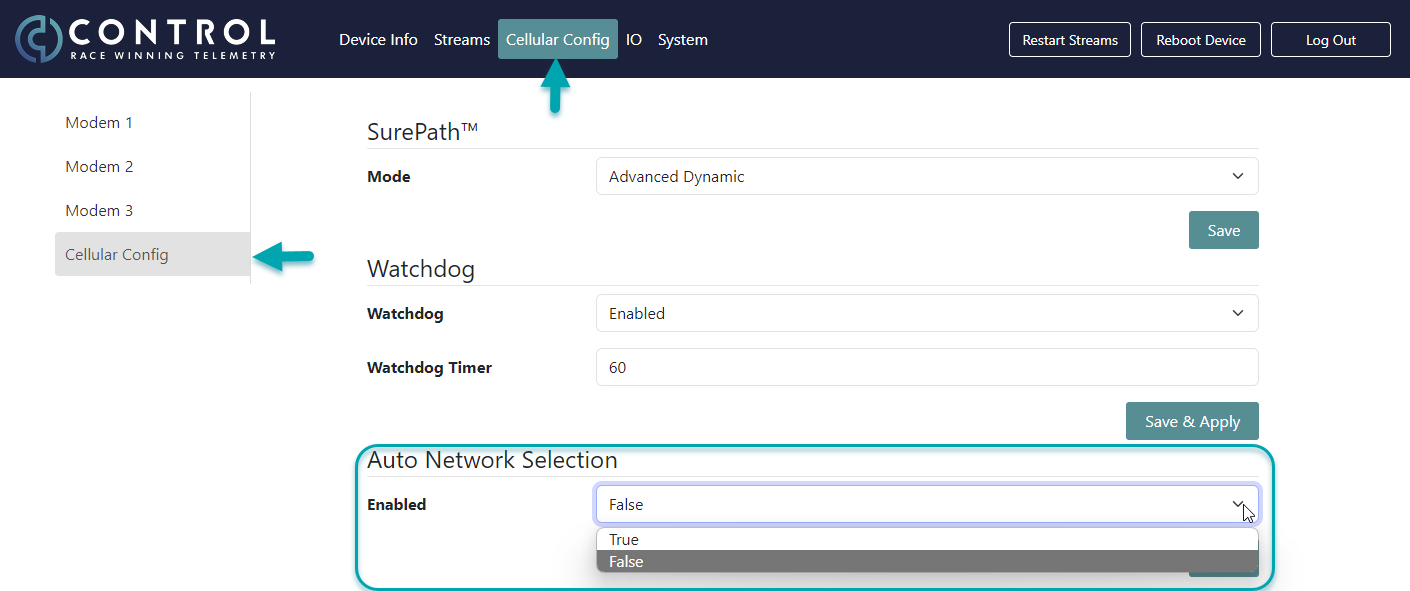
If you wish to use the Auto Network Selection navigate to Cellular Config and Cellular Config and select True for Enabled under Auto Network Selection.
Your device will now receive every 5 minutes an update about the best network available. This means:
For a multi-modem device such as the TLM-P1, Modem 1 will be updated to the best available network, the second best network will be chosen for Modem 2 and the third best network for Modem 3. In case only two networks are available, Modem 1 and 3 will be updated to the best available network. Once the modems receive the information and the current network differs, Modem 1 starts to reboot first to the best available network. There will be no telemetry stream loss during this reboot, as the other two modems continue to run normally. After 5 minutes, Modem 2 will reboot to the second best network and after another 5 minutes, Modem 3 will reboot as last.
For a single-modem device like the TLM-P2, the modem will be also updated every 5 minutes to the best available network, but it will not reboot itself automatically due to potential data loss. If the situation requires and a reboot is preferrable, it can be performed manually by clicking the Reboot Modem or Reboot Device button in the top menu of the device user interface. Otherwise, the information about the preferred network will be saved and once the modem reboots on its own e.g. during a pitstop, it will pick up on the best available network.
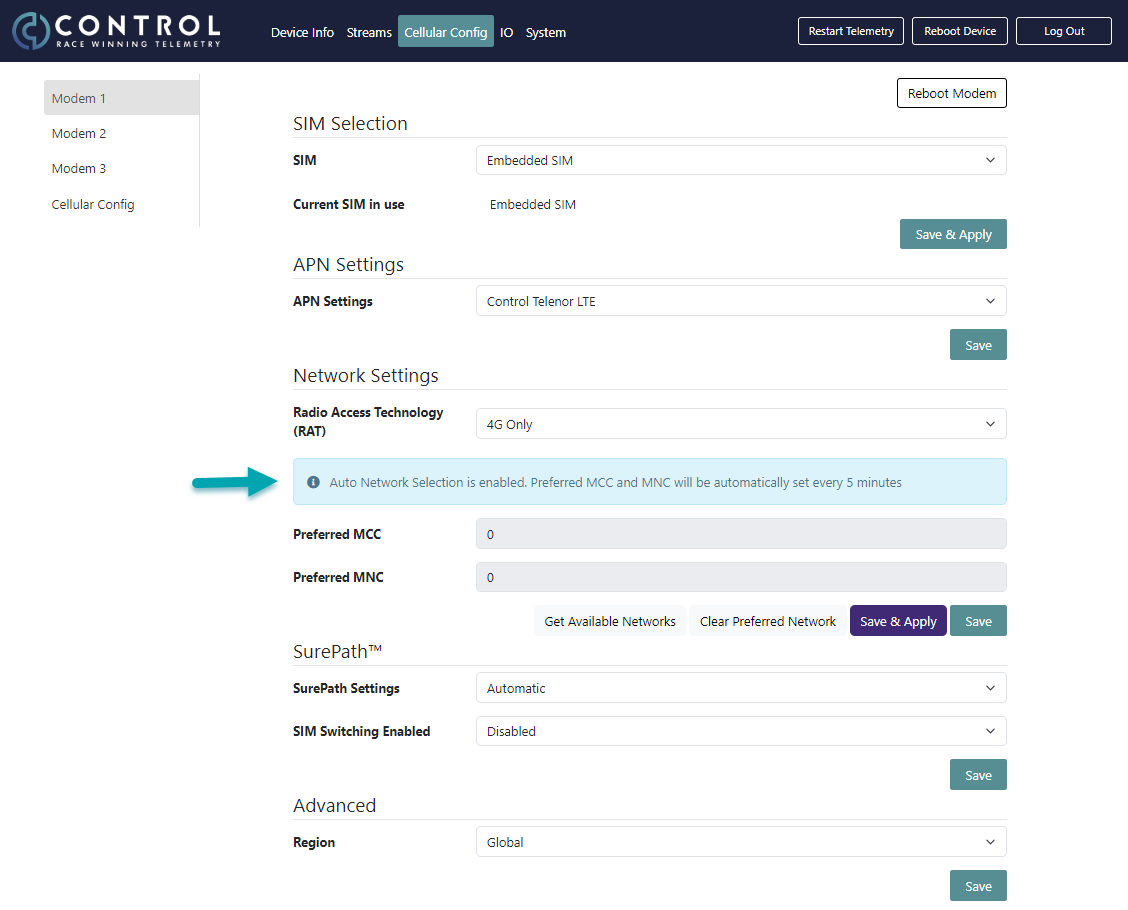
When the Auto Network Selection is turned on, a message is displayed for each modem under Network Settings.